![94682b08-af4e-42f2-b868-af7439511c70.jpg]](https://support.growdata.com.au/hs-fs/hubfs/94682b08-af4e-42f2-b868-af7439511c70.jpg?height=50&name=94682b08-af4e-42f2-b868-af7439511c70.jpg)
Chemical inventory can be tracked to the shed level using applications and purchase records. Create each shed per the instructions below, where you can allocate the use and addition of each chemical on farm.
- Navigate to 'Farm Setup' through the menu to the left of the screen.
If this is not displayed on the screen, it can be accessed through the menu icon ( ) in the top left corner of the dashboard.
 - Select 'Sheds'
- Each farm created will have a default shed (per below). If only needing to track chemicals and fertilisers for each farm, then these can be left as is (can edit shed name if desired).
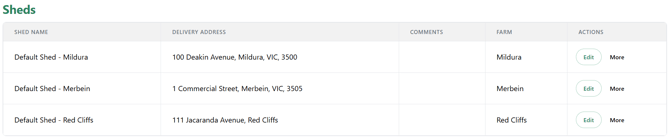
- To edit an existing shed, select 'Edit' under 'actions' and make changes as desired.
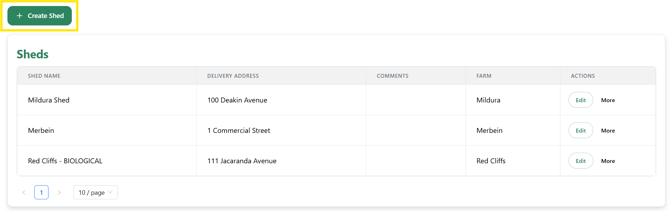
- To add an additional shed, select 'Create Shed'.
- Enter a shed name and select relevant farm
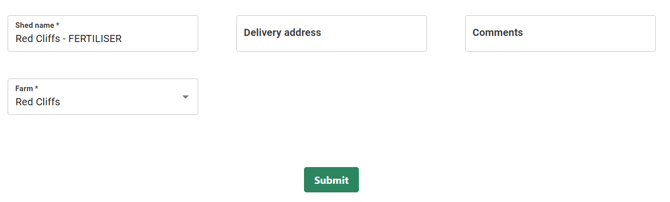
- 'Submit'