- Navigate to 'Farm Setup' through the menu to the left of the screen.
If this is not displayed on the screen, it can be accessed through the menu icon ( ) in the top left corner of the dashboard.
 - Select 'Machines' tab
- Select 'Create Machine' to add a machine
- Enter machine details (example below)
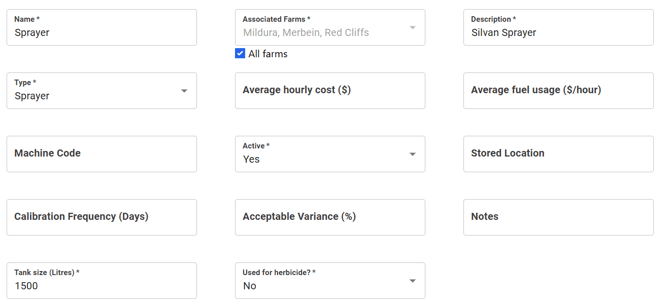
- 'Submit'
- Repeat until all machinery has been entered
English
![94682b08-af4e-42f2-b868-af7439511c70.jpg]](https://support.growdata.com.au/hs-fs/hubfs/94682b08-af4e-42f2-b868-af7439511c70.jpg?height=50&name=94682b08-af4e-42f2-b868-af7439511c70.jpg)